Information
Description
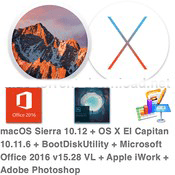
macOS directly from MacAppStore – for BDU deployment under Windows
Includes:
• macOS Sierra 10.12 (16A323) 5.hfs
• OS X El Capitan 10.11.6 5.hfs
• BootDiskUtility
• Microsoft Office for Mac 2016 v15.28 VL This latest release
• Apple iWork: Keynote 7.0.5, Numbers 4.0.5 & Pages 6.0.5 (upd 27.10.2016) [Multi/Ru]
• Adobe Photoshop CC 2017 (2017.0.0) [Multi/Ru]
ATTENTION!!!
The distribution contains the file 5.hfs is designed to create a bootable USB drive MAC OS in WINDOWS 7,8,10 AND XP
How to use BootDiskUtility
Spend a full install Clover bootloader on a USB Flash Drive with the installed tick on Boot Partition Size.
Run BootDiskUtility, go to “Options/Configuration” and make the necessary settings.
Partition for boot loader can be done in smaller volumes.
Click “OK”, then “Format Disk”.
To complete the operation, click “OK”.
We get two partitions Part1 and Part2
In the main window -> Destination Disk – choose our USB Flash Drive -> Part2.
Click the button “Restore Partition”.
In the Explorer window that opens, find and select the file with the extension 5.hfs.
File size should not exceed the size of Part2.
We wait and enjoy the result of the program.
macOS directly from MacAppStore – for BDU deployment under Windows
System requirements:
• Windows XP,7,8,8.1
• 64-bit, Intel at least 2 GB of memory
• 8 GB of free disk space
• USB Flash Drive min 8 GB
Files
macOS Sierra 10.12 + OS X El Capitan 10.11.6 + BootDiskUtility
│── BDU_v2.1.2016.020b
│ │── BootDiskUtility.exe (1.43 MB)
│ │── BootDiskUtility.ini (3.67 kB)
│ │── BootDiskUtility.md5 (0.11 kB)
│ │── BootDiskUtility.txt (0.69 kB)
│ └─ UserDL.ini (0.38 kB)
│── OSX_10.11.6_(15G31)_FOR_BDU
│ └─ 5.hfs (7.76 GB)
│── macOS Sierra 10.12 + OS X El Capitan 10.11.6 + BootDiskUtility.rtf (46.69 MB)
│── macOS Sierra 10.12 + OS X El Capitan 10.11.6 + BootDiskUtility.txt (31.79 kB)
│── macOS_10.12_(16A323)_FOR_BDU
│ └─ 5.hfs (6.31 GB)
└─ necessary utilities
│── Adguard.release.dmg (49.79 MB)
│── Adobe Photoshop CC 2017 (2017.0.0)
│ │── Adobe Zii 2.2.1 for Adobe CC15 CC17.dmg (9.08 MB)
│ │── AdobeCreativeCloudCleanerTool.dmg (1.46 MB)
│ │── AdobePhotoshop18.0-mul.dmg (1.40 GB)
│ └─ amtemu.v0.8.0.mac-painter.dmg (1.42 MB)
│── Apple iWork_ Keynote 7.0.5, Numbers 4.0.5 & Pages 6.0.5 (10.2016)
│ │── Keynote 7.0.5.dmg (477.1 MB)
│ │── Numbers 4.0.5.dmg (181.4 MB)
│ └─ Pages 6.0.5.dmg (238.6 MB)
│── Office for Mac_15.28.0(16111501).dmg (4.36 GB)
└─ Torrent downloaded from Demonoid.pw.txt (0.05 kB)