
Information
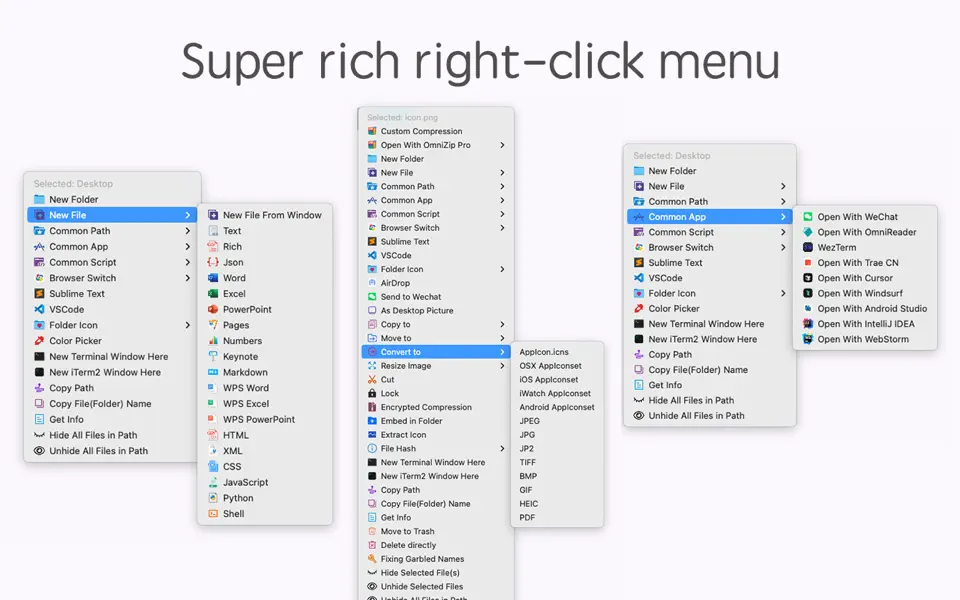
“MouseBoost Pro” packs over 30 handy utilities. With a right-click, you can access various features to boost your productivity.
Personalize the right-click menu for your needs, whether you’re a programmer, designer, or other. As a Mac user, this tool is a must-have.
***MouseBoost Pro Key Features***
– File Creation: Quickly create custom files, including special types like .gitignore.
– Common Paths: Organize and quickly access your most-used directories and their sub-files.
– App Shortcuts: Streamline your workflow by adding frequently used apps to the right-click menu.
– Script Runner: Add custom scripts for tasks like file operations, enhancing efficiency.
– Hide/Show Files: Conceal private files for privacy or clean screenshots.
– File Locking: Secure files against accidental changes with a click.
– Color Picker: Snap and copy HEX/RGB values from your screen.
– File Management: Move, copy, and manage files with ease.
– Terminal Access: Open Terminal or iTerm2 directly in the desired directory.
– Folder Icons: Personalize folder icons with various styles.
– Image Tools: Generate icons for multiple platforms and convert image formats.
– File Info: Obtain cryptographic hashes and other info for files.
– Send Files: Share files via air-drop or to WeChat.
– Advanced Features: Copy paths, force-delete files, and more.
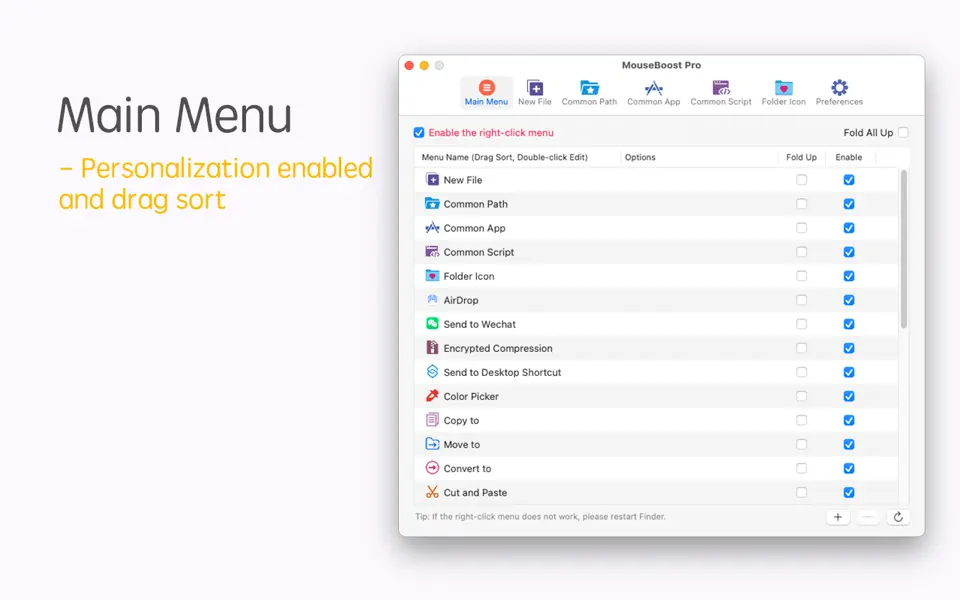
– Customization: Arrange the menu, disable unused options, and add preferred apps/files for a tailored experience.
For a small cost, enhance your work speed. Don’t wait, get it now for instant benefits!
Troubleshooting:
– iTerm2 dual windows: Adjust preferences to restore only the hotkey window.
– Right-click issues: Restart Finder, toggle the MouseBoost extension, or adjust iCloud settings for macOS 14.
Reach us at [email protected] for support.