
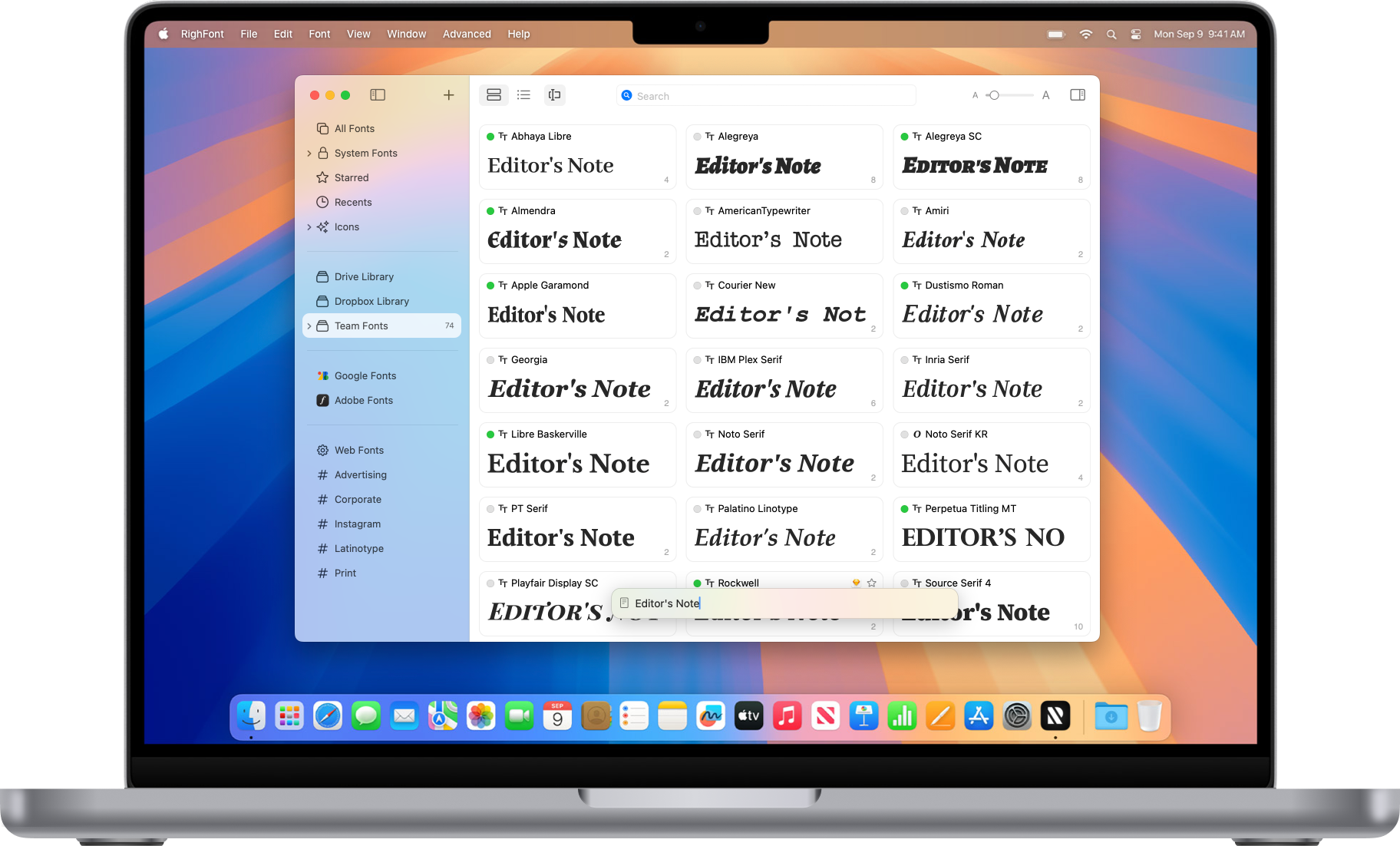
RightFont is an innovative, beautiful and professional font manager app for macOS, helping designers to preview, install, sync and manage their font files. RightFont is a lightweight font manager with a clean, beautiful interface. It offers many features which help you manage all your local fonts with ease
- Font-management access anytime directly from your menubar
- Mark any font as starred with a click
- Create and manage font lists
- Access fonts directly in Adobe Creative Cloud (Photoshop, Illustrator, InDesign, Flash, AfterEffect), Sketch, etc.
- Instant search results as you type
- Change font preview and font size in real-time Find the right font faster
- Easily filter fonts by classifications (sans serif, serif, script, etc.), font width and font weight. Even Google fonts and Adobe TypeKit fonts are listed separately for you.
- Effortless integrations – You can use RightFont with design software. With a simple double-click, the font used in your text layer can be changed.
Interface Redesign
RightFont 5 was totally redesigned to keep a balance between simplicity and features. It’s now much easier to enable creative designers and teams accelerate their workflow.
Font Library
As you wish, Font Library is finally introduced in RightFont 5. Now you are able to organize fonts and fontlists in a font library, and free to move it anywhere for font sharing or backup purpose.
macOS Mojave Support
RightFont 5 is fully optimized for macOS Mojave, with the support for dark theme, Touchbar, color SVG fonts and more.
Better Performance
Performance is a big step forward in RightFont 5, now 2x faster than version 4.0 when importing and rendering fonts.
What’s New:
Version 10.0
New
- Add Folders to browse and organize fonts directly from existing folders.
- Completely redesigned Import Fonts workflow with new options, including Create Sets from folders and Create new libraries during import.
- New Preview Text Editor to save, edit, and quickly switch between custom preview presets.
- Fully customizable List View with support for adding/removing columns and reordering columns.
- Font preview in Inspector can now be edited directly.
- Added a new Font Sizes tab for Waterfall preview.
- Added a new OpenType Features tab in Font Inspector.
- Added Nested Tags for better font organization and management.
- Deeply integrated with the new macOS 26 design language for a more modern and native experience.
- Added support for Apple Creator Studio apps.
- Added support for After Effects 2026.
- Added support for Unicode 17.
Improved
- Improved performance when loading large font libraries.
- Significantly faster Google Fonts importing and synchronization.
- Google Fonts now syncs variable fonts by default, significantly reducing storage usage.
- Enhanced font activation reliability across Adobe Creative Cloud apps.
- Improved preview rendering performance and scrolling smoothness.
- Improved search responsiveness and filtering accuracy.
- Enhanced duplicate font detection during import.
- Improved metadata parsing for OpenType and variable fonts.
- Updated multiple interface components for a cleaner and more consistent experience.
- Improved synchronization stability and background processing performance.
- Enhanced compatibility with the latest macOS releases.
- Added right-click menu options to switch between Color and Monochrome icon styles for Google Fonts and Adobe Fonts libraries.
Fixed
- Fixed an issue where some fonts failed to activate correctly.
- Fixed preview rendering issues with certain variable fonts.
- Fixed occasional crashes during large batch imports.
- Fixed incorrect sorting behavior in List View.
- Fixed Waterfall preview update issues.
- Fixed several Inspector layout and display glitches.
- Fixed duplicate font detection issues in specific edge cases.
- Fixed minor UI bugs and improved overall stability.